
How to edit a Pay Link
Want to increase the price? Rename your product? Maybe you’ve changed your brand name… No matter the reason, you can easily edit your Pay Link. Here’s now:
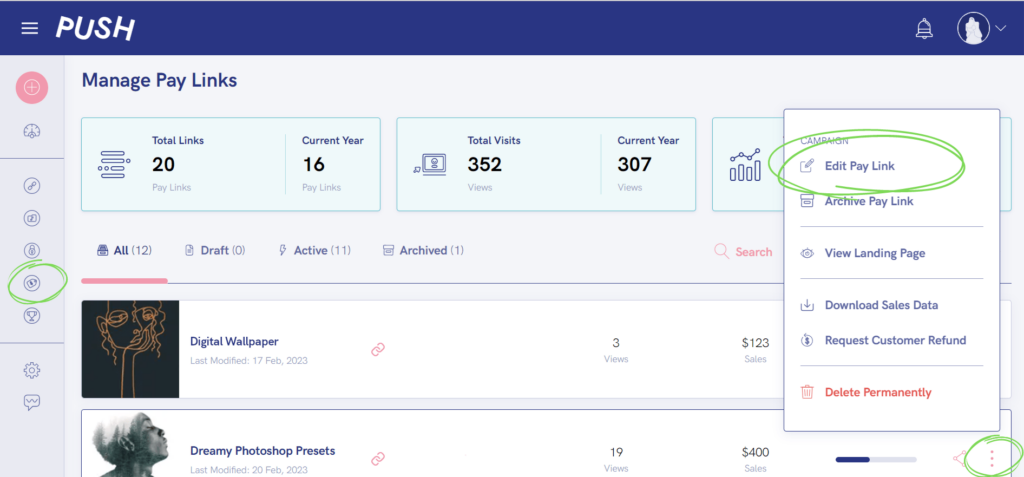
- Go to the Manage Pay Links page by clicking on the Pay Link icon in the sidebar.
- Find the Pay Link you want to edit and click the ellipsis menu icon ⋮
- Click Edit Pay Link.
- Now you can through and edit whatever you want.
- Once you’re done editing, make sure you click Launch Campaign.
Please note; you cannot edit your file or your Pay Link URL. If you’re wanting to change these, you’ll have to make a new Pay Link ✨
See also:
How to make a Pay Link
How to delete a Pay Link
How much do Pay Links cost?